
LinkedIn is still one of the best places to build an audience from scratch, and you can increase your LinkedIn followers there organically, with no paid ads, no follower buying, and no growth hacks.
When I went through 52 million posts across 10 platforms for our State of Social Media Engagement report, LinkedIn had the highest median engagement rate of any platform we looked at, at around 6.2%.
LinkedIn has also become the most-cited website in AI search for professional questions, according to Profound's tracking, and more of what gets cited is what people post. So what you share on LinkedIn can show up when someone asks ChatGPT about your field.
It's worked for me, too. I made my account in 2017 but only started posting in 2020, when I was looking for community after losing my job. I now have over 25,000 followers, and posting has led to brand partnerships and invites onto podcasts and YouTube channels, which I never would've thought possible when I started.
You don't need millions of followers, and you don't need to be the world's foremost expert in your niche. A smaller following that cares about what you have to say will do far more for you than a huge one that doesn't.
So if you really, really want to grow on LinkedIn, whether as a creator, a founder, a business owner, or someone starting from zero, this guide is for you. It pairs what's worked for me with Buffer's data on millions of LinkedIn posts, and there's a section for company pages too.
Key takeaways
- Switch your profile's main button from Connect to Follow. Connections are capped at 30,000 and need a yes from both sides, while followers have no cap, and everyone who connects with you follows you anyway.
- Stick to three to five topics. LinkedIn's feed now matches posts to people based on what they're about, so a clear focus helps it find your audience.
- Try carousels. In Buffer's analysis of 52 million posts, LinkedIn carousels had a median engagement rate of 21.77%, about three times video and nearly seven times text-only posts.
- Don't worry about posting too often. In Buffer's study of 2 million+ LinkedIn posts, accounts posting 11 or more times a week averaged nearly 17,000 more impressions per post.
- Reply to your comments. About 83% of LinkedIn profiles in Buffer's data performed better when they replied, the highest share of any platform.
- Keep your posts sounding like you. LinkedIn added a "Seems like AI slop" report option in July 2026, and flagged posts are seeing about 40% fewer views.
- Grow a company page through your team. Personal LinkedIn profiles get 57% higher engagement than company pages, according to Buffer's analysis of 20 million LinkedIn posts.
Jump to a section:
- Optimize your LinkedIn profile
- Create LinkedIn content people follow you for
- Turn conversations into followers
- Use LinkedIn features to boost your growth
- How to grow LinkedIn company page followers
- Increase your LinkedIn followers, starting today
- FAQ on how to increase LinkedIn followers
- More LinkedIn resources
Optimize your LinkedIn profile to get more followers
Your LinkedIn profile is where most people decide whether to follow you. You can follow someone straight from the Follow button on their posts, but if most people are like me, they click through to the profile first to see who you are and what you post about. So the four changes below are about making that visit worth it, and together they should take about half an hour.
1. Switch your profile button from Connect to Follow
This is the first, easiest thing anyone can do to objectively “get more followers.”
By default, the big button on your LinkedIn profile says Connect. When you switch it to Follow, anyone can follow you in one tap instead of sending a request and waiting for you to accept it. Here's how followers and connections compare:
- Connections are capped at 30,000 and need a yes from both sides.
- Followers have no cap, and anyone can follow you without waiting on you.
And you won't lose anything by switching, since people can still send you a connection request from the More menu on your profile.
LinkedIn used to bundle this setting into Creator Mode, which it retired in March 2024, but the setting still exists on its own. To turn it on, go to Settings & Privacy → Visibility → Visibility of your LinkedIn activity → Followers, and turn on "Make follow primary."
Recommended Story For You :
 computers-internet
Organize Keywords and Import CSV Files from the Google Keyword Planner
computers-internet
The Most Affordable And Easiest User Friendly Page Builder You Will Ever Use!
computers-internet
Instant WordPress Theme That Matches Your Website
computers-internet
Wizard to Manage Remote Backend MS Access Database Tables Fields and Indexes
computers-internet
If you had an aisle-by-aisle grocery list wouldn't you spend less money on impulse items?
computers-internet
everything you need to create a professional corporate look mini-site is there.
computers-internet
Unlock Your Networking Potential with GNS3Vault
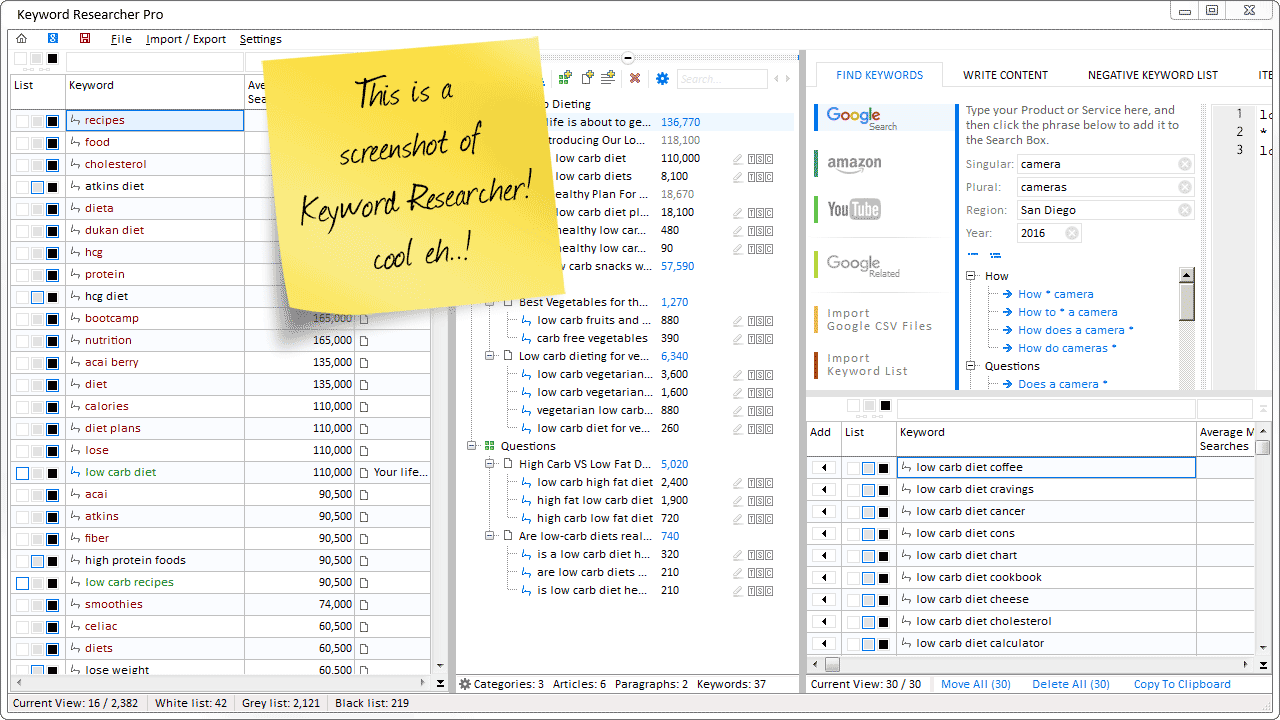
Organize Keywords and Import CSV Files from the Google Keyword Planner
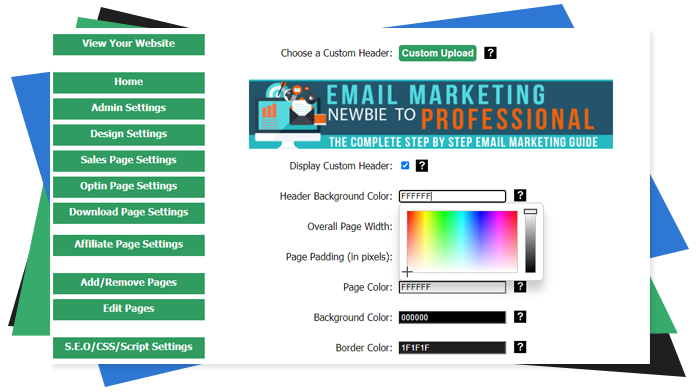
The Most Affordable And Easiest User Friendly Page Builder You Will Ever Use!

Instant WordPress Theme That Matches Your Website
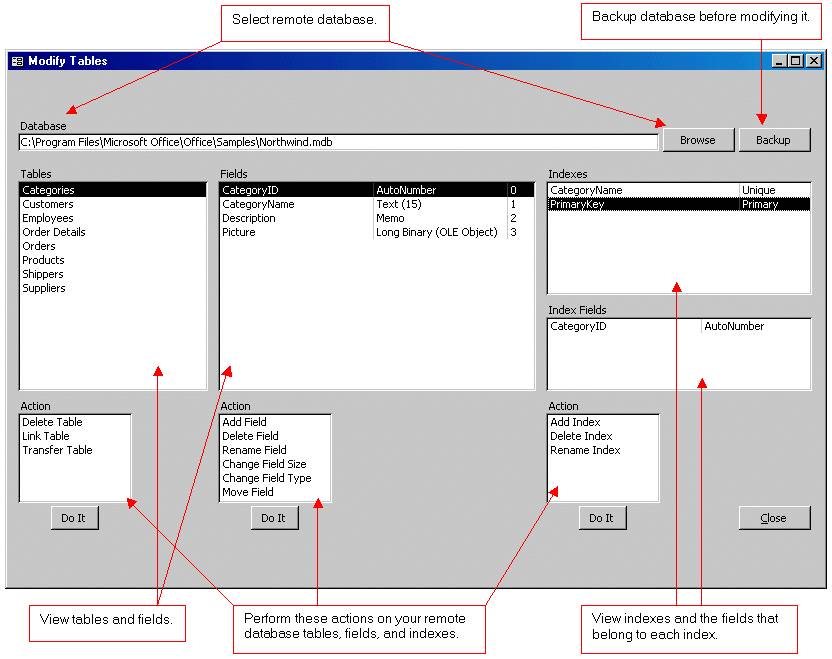
Wizard to Manage Remote Backend MS Access Database Tables Fields and Indexes

If you had an aisle-by-aisle grocery list wouldn't you spend less money on impulse items?
everything you need to create a professional corporate look mini-site is there.